
Desktop admin
Detailed configuration, bulk management, purchasing, inventory, reporting and multi-location control.
- Owner, plate and vehicle profiles
- Quotations and work orders
- Labour, materials and technicians
- Package and pass redemption
Automotive service store solutions
Undertake in-store services with vehicle files and construction orders, and connect package and accessories inventory management.
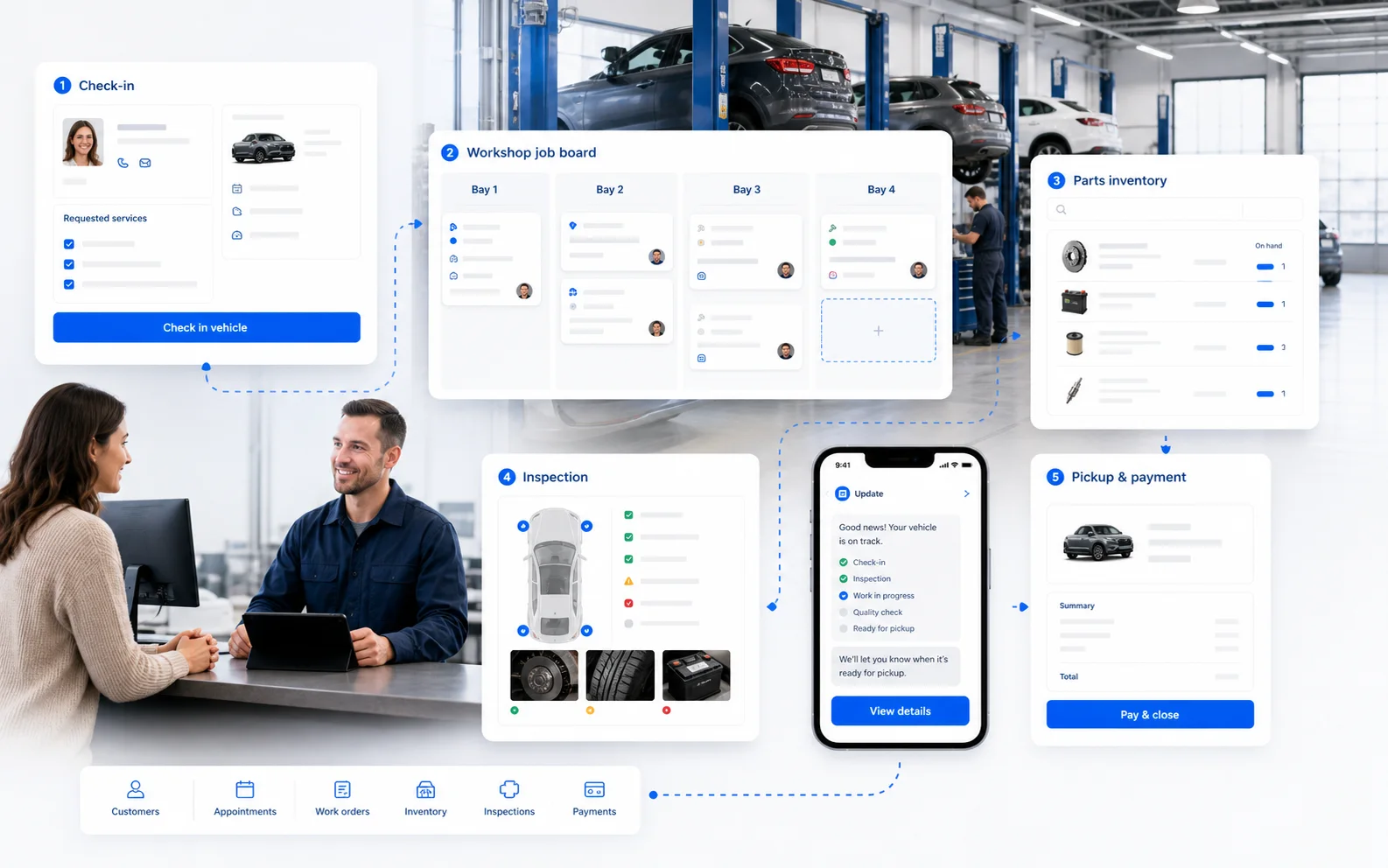
Operating workflow
Set roles, rules and data around Owner, plate and vehicle profiles, keeping the surrounding steps traceable.
Set roles, rules and data around Quotations and work orders, keeping the surrounding steps traceable.
Set roles, rules and data around Labour, materials and technicians, keeping the surrounding steps traceable.
Set roles, rules and data around Package and pass redemption, keeping the surrounding steps traceable.
Set roles, rules and data around Mileage and insurance-date reminders, keeping the surrounding steps traceable.
Set roles, rules and data around Parts purchasing and inventory, keeping the surrounding steps traceable.
Three connected surfaces
Detailed configuration, bulk management, purchasing, inventory, reporting and multi-location control.
Bookings, orders, members, stock and daily activity for staff on the move.
Bookings, ordering, queues, shopping, membership benefits and delivery entry points.
Capability checklist
Prepare locations, staff roles, products or services, customers and stock, then use one real operating journey for the demo and acceptance check.
Payments, printers, delivery, hardware, historical migration and third-party compatibility require deployment-specific confirmation. A visible interface is not a default integration promise.
FAQ
Yes, by role, although connected surfaces provide the most complete operating loop.
Fields, data quality, balances and history must be assessed before a migration approach is confirmed.
Location settings, permissions and operating rules provide flexibility; non-standard requirements need separate assessment.
Timing depends on data readiness, workflow complexity, migration and any external device or system integration.