
Miqei
Merchant mobile terminal
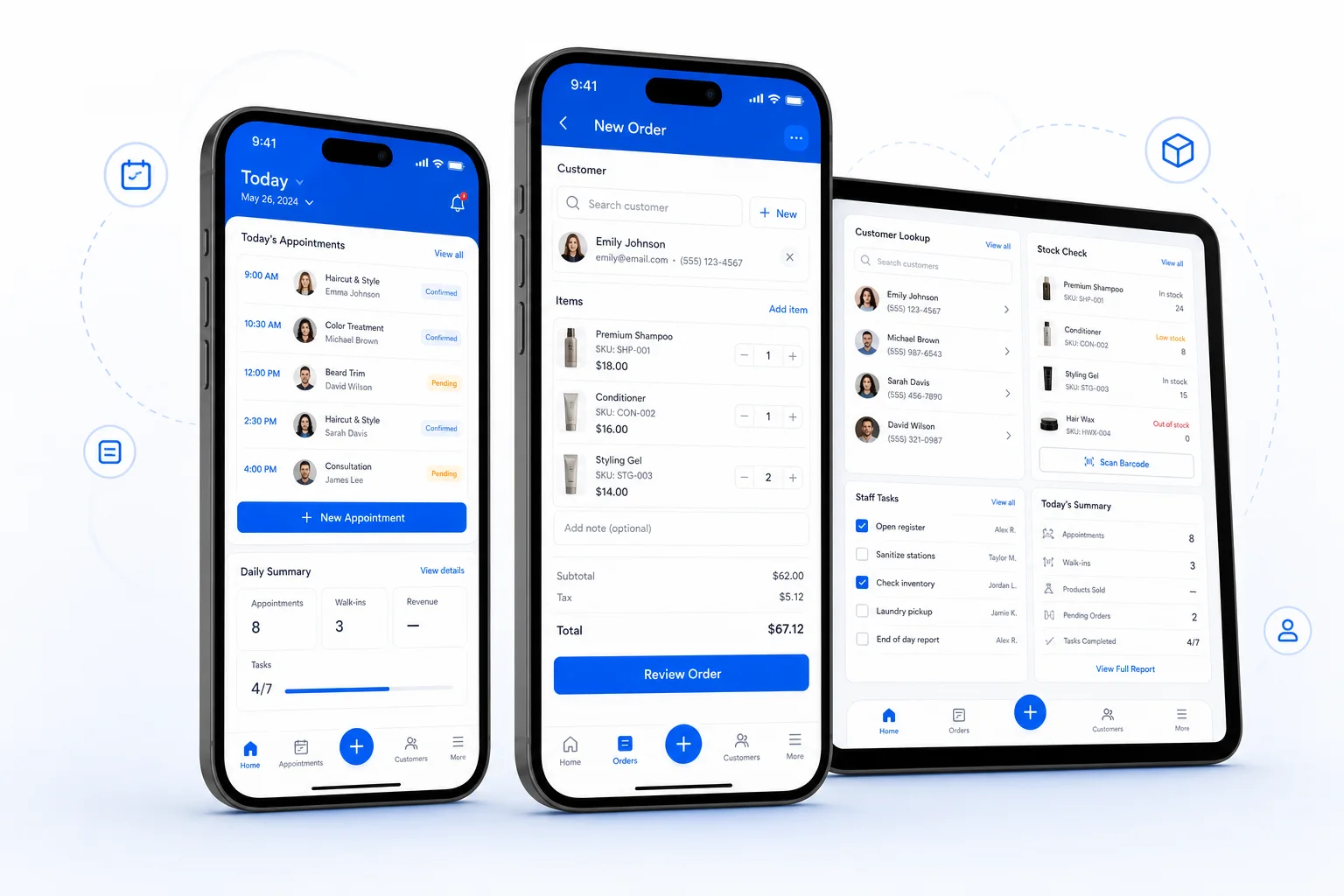
Allow store managers and employees to continue processing orders, reservations, memberships, inventory and business viewing when they are away from their computers.
- Quick to start
- Connected surfaces
- Data safeguards
Cover the complete customer lifecycle
Connect every operating step around the customer.
- 01AcquireBring customers in
- 02BookBook and arrive
- 03ServeDeliver consistently
- 04CheckoutOrders and payment
- 05RetainBuild repeat business
- 06AnalyseMake informed decisions
ALL-IN-ONE
Connect every operating moment
A connected journey from acquisition to decisions.
Service and staff schedules
Customer online booking · Status and reminders · Walk-in queues
Learn more →02Unified customer profiles
Purchase and service history · Balances and passes · Tags and segments
Learn more →03Product and service checkout
Member and guest sales · Offers and benefit redemption · Order and payment status
Learn more →04Products and services
Purchasing and suppliers · Stock in and out · Counts and transfers
Learn more →05Member campaigns
Coupons and top-ups · Customer web shop · Booking and ordering
Learn more →06Revenue trends
Order and item detail · Customer analysis · Team performance views
Learn more →07Central configuration
Location execution · Staff roles and access · Shared products and customers
Learn more →Store work doesn’t just happen in front of the checkout counter
The merchant's mobile terminal undertakes high-frequency tasks in mobile scenarios. Employees can view reservations and orders, and store managers can enter member, inventory and report-related interfaces to complete necessary operations on-site at the store.
How to divide labor with the computer backend
The mobile version emphasizes easy availability and same-day execution; tasks such as batch configuration, complex filtering or requiring a larger information view are more suitable for returning to the computer background. The actual menu is determined by industry, role, and permissions.